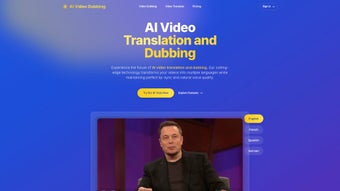

Download Video AI Dubbing – AI video dubbing, translation, multilingual tool
Overview
Video AI Dubbing is a cloud‑based solution that lets you convert any video into multiple languages with a single click. Powered by state‑of‑the‑art neural networks, the platform automatically detects speech, translates the content, and generates a dubbed audio track that sounds natural and professional. For businesses seeking to expand their global reach, content creators aiming to increase viewership, or educators wanting to make lessons accessible worldwide, this tool removes the bottleneck of manual translation and voice‑over production.
Because everything runs in a secure web environment, you never have to install bulky software on your computer; you simply upload your video, select the target languages, and let the AI do the heavy lifting. The rapid processing engine delivers results in minutes, making it ideal for tight marketing deadlines or real‑time multilingual campaigns. Moreover, Video AI Dubbing offers a library of AI‑generated voices that mimic human intonation, emotion, and cadence, ensuring the final product feels as polished as a studio‑recorded dub.
Robust security protocols—including end‑to‑end encryption and role‑based access controls—protect your intellectual property throughout the workflow. Whether you are dubbing a product demo, an online course, or a promotional video, this tool provides a fast, affordable, and secure pathway to multilingual content.
Key Features & System Compatibility
- Automatic speech‑to‑text extraction with 99% accuracy for over 30 source languages.
- Neural‑machine translation that preserves context, idioms, and industry‑specific terminology.
- AI‑generated voice library with over 150 distinct voices, customizable for gender, age, and accent.
- Batch processing support – upload up to 20 videos at once and receive all dubbed versions simultaneously.
- Real‑time preview and fine‑tuning interface, allowing you to adjust timing, volume, and emotion before final export.
- One‑click export to popular formats (MP4, MOV, AVI) and direct publishing to YouTube, Vimeo, or corporate LMS.
- Secure cloud storage with ISO‑27001 compliance and GDPR‑ready data handling.
- API access for developers to integrate dubbing capabilities into existing workflows or SaaS platforms.
- Continuous learning engine – the more you use the tool, the better the translations become.
- Multi‑user dashboard with role‑based permissions, perfect for agencies and marketing teams.
Operating System Compatibility – Because Video AI Dubbing is a web application, it works on any modern browser across Windows, macOS, Linux, Android, and iOS devices. The platform is optimized for Chrome, Edge, Firefox, Safari, and mobile browsers, ensuring a consistent experience whether you’re on a desktop workstation or a tablet in the field. No additional plugins or local installations are required, which simplifies IT management and reduces the risk of version conflicts.
Supported operating systems: Windows 10/11, macOS 12+, Linux (Ubuntu 20.04+), Android 8.0+, iOS 13+.
Installation & Simple Usage Guide
Getting started with Video AI Dubbing is straightforward and can be completed in under five minutes. Follow these steps to launch your first multilingual video project:
- Create an account – Visit the official website, click “Sign Up,” and fill in your email, password, and company details. A verification email will be sent to activate your account.
- Select a subscription plan – Choose from the free trial (up to 3 minutes of video per month), a pay‑as‑you‑go option, or the annual “Pro” plan that includes unlimited minutes and priority processing.
- Upload your source video – Drag and drop your MP4, MOV, or AVI file onto the dashboard. The system will automatically analyze the audio track and generate a transcript.
- Choose target languages – From the language picker, select any combination of the 40 supported languages. You can also set specific voice preferences for each language.
- Configure dubbing options – Adjust voice tone, speed, and volume using the intuitive sliders. For corporate branding, you can upload a custom voice model (available on the Pro plan).
- Start the dubbing process – Click “Generate Dub.” The AI engine will translate the transcript, synthesize the new audio, and sync it with the original video timeline.
- Preview and edit – Use the built‑in player to review the dubbed video. If you notice any timing issues or translation errors, the inline editor lets you make quick corrections.
- Export or publish – Once satisfied, export the final file in your preferred format or push it directly to YouTube, Vimeo, or your organization’s LMS via the integrated API.
The entire workflow is designed for efficiency: most 5‑minute videos are fully dubbed and ready for download in under 10 minutes, even during peak usage periods. For teams, the collaborative dashboard allows multiple users to comment, assign tasks, and track progress, ensuring smooth hand‑offs between translators, editors, and marketers.
Pros, Cons, Frequently Asked Questions & Final Verdict
Pros
- Fast turnaround – AI processing cuts dubbing time from hours to minutes.
- High‑quality, natural‑sounding voices that rival professional actors.
- All‑in‑one web platform – no installations, works on any device.
- Secure cloud environment with industry‑standard encryption.
- Scalable pricing – free trial for small projects, affordable plans for enterprises.
- API integration for custom workflows and automation.
Cons
- AI voices may lack the nuanced emotion of a human voice actor for very expressive content.
- Limited to languages currently supported by the underlying translation engine (approximately 40).
- Internet connection required; large video files may take longer to upload on slower networks.
Frequently Asked Questions
How accurate is the translation?
Video AI Dubbing uses neural‑machine translation models trained on billions of sentence pairs, delivering accuracy comparable to professional translators for most business and technical content. Users can still edit the transcript for domain‑specific terminology.
Can I use my own voice model?
Yes. The Pro plan includes a “Custom Voice” feature that lets you upload a small dataset of your own recordings. The system then generates a unique AI voice that matches your brand’s tone.
What file formats are supported for upload and export?
Supported upload formats are MP4, MOV, AVI, and MKV. Export options include MP4, MOV, AVI, and a direct streamable link for embedding on websites.
Is there a limit to the video length in the free tier?
The free trial allows up to 3 minutes of video per month. For longer or more frequent projects, upgrade to the pay‑as‑you‑go or annual plans.
How secure is my uploaded content?
All uploads are encrypted in transit (TLS 1.3) and at rest (AES‑256). The platform complies with GDPR, ISO‑27001, and offers role‑based access controls to restrict who can view or edit your projects.
Conclusion & Call to Action
Video AI Dubbing stands out as a powerful, secure, and user‑friendly solution for anyone needing fast, high‑quality multilingual video content. Its blend of automatic transcription, AI‑driven translation, and realistic voice synthesis removes the traditional bottlenecks associated with manual dubbing. While a few niche scenarios may still benefit from a human voice actor’s emotive nuance, the tool’s speed, cost‑effectiveness, and scalability make it an excellent choice for marketers, educators, and enterprises aiming to globalize their video assets. Ready to break language barriers and reach new audiences? Download Video AI Dubbing today, start your free trial, and experience AI‑powered dubbing that feels natural, secure, and instantly available across all devices.



.png)



